Running a website is not only about posting content. It also means keeping everything working in the background. If a domain or hosting plan expires, the website goes offline. As a result, visitors cannot access the site, and traffic is lost. This can also harm trust and brand image.
So, it is very important to renew both domain and hosting on time. Many people forget this step, and then they face sudden problems. However, with a clear process, this task becomes easy and stress-free. This guide explains each step in a simple way, so everything stays active without trouble.
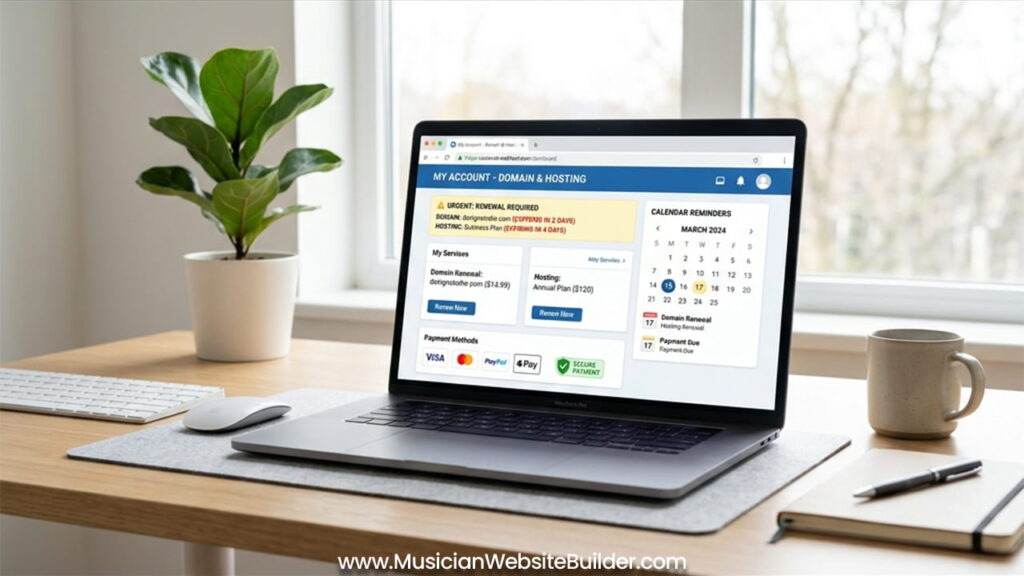
Understanding the Difference Between Domain and Hosting Renewal
Before starting, it is important to know the difference between domain and hosting. Many people confuse these two, but they are not the same.
A domain is like the address of a house. It is the name people type to visit a website. For example, it can be something like www.yourwebsite.com. When the domain expires, the address no longer works.
On the other hand, hosting is like the house itself. It stores all the website files and data. If hosting expires, the website cannot load, even if the domain still exists.
So, both domain and hosting must stay active. If one fails, the whole website stops working. That is why renewing both on time is very important.
Step 1: Audit Your Current Expiry Dates
The first step is to check when everything will expire. This step helps avoid surprises later. Most service providers send reminders before expiry, but checking manually is still a good habit.
First, log in to the domain registrar account. This is the place where the domain was purchased. Inside the dashboard, there will be an expiration date. This shows how long the domain is active.
Next, log in to the hosting account. This may be a control panel like cPanel or any custom dashboard. Here, the billing section shows when the hosting plan will end.
By checking both dates, it becomes easy to plan ahead. As a result, there is enough time to renew without stress.
Step 2: Verify and Update Payment Methods
Payment problems are one of the most common reasons for failed renewals. Many times, the card on file expires, and the system cannot process payment. Because of this, services stop without warning.
So, it is important to check payment details regularly. First, confirm that the saved credit or debit card is still valid. Make sure the expiration date is not near.
Next, consider adding another payment option. Many providers allow PayPal or digital wallets. These options act as backup methods. If one fails, the other can complete the payment.
This small step can prevent major issues. Therefore, keeping payment details updated is a simple but powerful action.
Step 3: Choose Between Auto-Renewal and Manual Renewal
There are two ways to renew services: auto-renewal and manual renewal. Each method has its use, but one is safer than the other.
Auto-renewal means the system renews the service automatically before it expires. This is the best option for most users. It reduces the risk of forgetting important dates. For valuable domains, this setting is very important.
Manual renewal means the user renews the service by hand. This option requires attention and planning. It is useful only in certain cases. For example, if there is a plan to move to another provider, manual renewal may be better.
In general, auto-renewal is the safer choice. It gives peace of mind and prevents sudden downtime.
Step 4: The Domain Renewal Process
If manual renewal is chosen, the process is simple but needs attention.
First, go to the domain management section in the registrar account. This section shows all owned domains.
Next, select the domain that needs renewal. After that, choose how many years to renew. Most providers allow renewal from one year up to ten years. Longer periods can help lock current prices and avoid future increases.
Then, check the Whois privacy settings. This feature hides personal contact details from public records. If it expires, personal information may become visible. So, renewing this feature is also important.
Finally, complete the payment and confirm the renewal. After this step, the domain stays active for the selected period.
Step 5: The Hosting Renewal Process
Hosting renewal is usually simple, but it still needs careful checking.
First, open the hosting account dashboard. Then go to the billing or subscription section. This area shows current plans and renewal options.
Next, review the plan details. This is a good time to check if the current plan still fits the needs. If the website has grown, an upgrade may help improve speed and performance. On the other hand, if resources are not fully used, a lower plan may save money.
After that, check any extra services. These may include backups, email services, or security tools. Some of these add-ons renew separately, so they must be reviewed carefully.
Finally, confirm the renewal and complete the payment. This keeps the website running without interruption.
Step 6: Post-Renewal Verification
After renewal, the work is not fully done. A few checks help confirm everything is working correctly.
First, open the website in an incognito or private browser window. This avoids cached data and shows the real status. If the site loads normally, the renewal worked.
Next, check the SSL certificate. This ensures the website uses HTTPS and shows a secure connection. If the SSL is not active, visitors may see warnings. So, it is important to confirm that the certificate is still valid.
Then, download the invoice or receipt. This document is useful for records and accounting. Keeping it safe helps in future reference.
These checks take only a few minutes but provide full confidence that everything is working.
What Happens if You Miss the Deadline?
Sometimes, renewal may be missed. In such cases, there are still chances to recover, but timing is important.
Most domains enter a grace period after expiration. This period usually lasts from zero to thirty days. During this time, the domain can be renewed at the normal price.
However, if this period passes, the domain enters a redemption phase. At this stage, the recovery cost becomes much higher. In many cases, it can exceed one hundred dollars in addition to the normal fee.
So, missing the deadline can lead to extra costs and stress. That is why timely renewal is always the best approach.
Summary Checklist
Keeping a simple checklist makes the process easier to manage. Regular checks help avoid last-minute problems.
Payment methods should be reviewed every six months. It is better to have both a primary and backup option.
Domain renewal should be set yearly or for multiple years. Auto-renewal should stay turned on for safety.
Hosting renewal can be monthly or yearly. Again, auto-renewal is the recommended setting.
SSL certificates should be checked every ninety days. Auto-renewal should also be enabled for this.
By following this checklist, website owners can keep everything running smoothly. As a result, there will be no sudden downtime or panic.
In the end, a little planning saves a lot of trouble. A well-maintained website stays active, secure, and ready for visitors at all times.