A musician’s website is not just a page online. Instead, it acts like a controlled space where music is presented exactly as intended. So, sound quality matters a lot here. However, many artists face a common problem. A track sounds perfect in the studio, yet it loses quality once uploaded to a website player. This happens because many embedded players reduce audio quality.
Therefore, choosing the right audio player becomes very important. It is not only about sound. It also involves site speed and user experience. If one part fails, the whole experience feels weak. So, a good balance must be found between quality and performance.
The Balance Between Sound Quality and Easy Access
High-quality audio files like WAV and FLAC sound very clean. However, they are large in size. Because of this, websites often struggle to load them quickly. As a result, many platforms reduce audio quality to make loading faster.
Most platforms compress audio to 128kbps or 192kbps. This helps speed, but it hurts sound. So, musicians must decide what matters more. Do they want fast loading, or do they want better sound?
In many cases, both are needed. That is why smart choices are required. A balance between quality and speed helps keep listeners engaged.
Why Many Embedded Players Sound Poor
Not all listeners notice poor audio quality. For example, people using phone speakers may not hear the difference. However, serious listeners use headphones or studio monitors. These listeners can easily detect audio issues.
Compressed audio often creates strange sounds in high frequencies. These are sometimes described as “swirly” or unclear tones. Because of this, music loses its original depth.
For artists who focus on production quality, this becomes a problem. A poor player can damage how people see their work. Therefore, it is better to choose players that support at least 320kbps MP3. Even better, some players allow lossless streaming.
Top Audio Player Options for Music Websites
Choosing a player depends on where the music is stored and how much control is needed. Different platforms offer different benefits. So, each option must be understood clearly.
Bandcamp: Strong Choice for High-Quality Music
Bandcamp is known for respecting original audio quality. It allows artists to upload high-quality files without heavy compression.
The streaming player is still optimized for speed. However, it handles better quality than many other platforms. This makes it a trusted choice among serious listeners.
One key advantage is support for lossless downloads. Fans can buy and download music in high-quality formats. This builds trust between artist and listener.
However, there is a downside. The embedded player does not offer much design flexibility. So, visual customization is limited.
SoundCloud: Good for Reach but Not Perfect Sound
SoundCloud is widely used for music sharing and discovery. Many artists use it to reach new audiences. However, sound quality is not its strongest feature.
By default, SoundCloud compresses audio heavily. This reduces clarity, especially for detailed tracks.
There is a small workaround. Tracks that support premium features may stream at higher quality for subscribed users. Still, the platform focuses more on sharing than on sound quality.
So, it works well for exposure, but not for perfect audio.
Self-Hosted Players: Full Control Over Sound
Self-hosted players give complete control. These are often used on WordPress or custom-built websites. Tools like Sonaar or Wonder Audio Player are common choices.
With this method, artists upload files directly to their own servers or CDNs. This allows high-bitrate or even lossless files to be used.
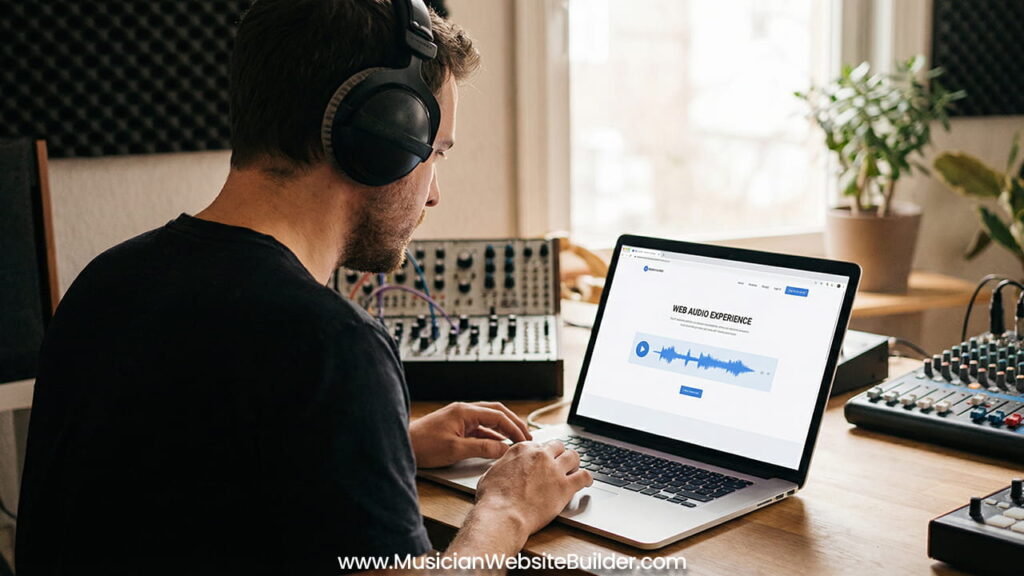
One useful feature is waveform display. This shows the shape of the audio visually. It also helps users interact with the track more easily.
Because of this control, self-hosted players are often the best choice for professionals. However, they require more setup and technical knowledge.
Technical Setup for Better Audio Performance
Good sound alone is not enough. The technical setup must also support smooth playback. Without this, even high-quality audio will fail.
Use a CDN for Faster Delivery
A Content Delivery Network, or CDN, helps deliver files faster. Instead of loading audio from one server, it uses multiple locations.
This means the file loads from a server closer to the listener. As a result, buffering is reduced.
Without a CDN, large files can slow down the site. So, using one is very important for high-quality audio.
Choose the Right Bitrate
Studio-quality audio like 24-bit/96kHz sounds amazing. However, it is too heavy for most websites.
A better choice is 24-bit/48kHz. Another strong option is 320kbps MP3. These formats keep good quality while reducing file size.
So, this becomes the sweet spot. It gives clear sound without long loading times.
Use Format Switching for Compatibility
Not all browsers support every audio format. Because of this, one format alone is not enough.
A smart player uses fallback logic. If one format fails, it switches to another. For example, it may change from FLAC to AAC or MP3.
This ensures the audio always plays. So, users do not face errors or delays.
Mobile Design and User Experience
Most music today is discovered on mobile devices. In fact, more than 70% of users listen through phones. Because of this, mobile design must be a priority.
Keep the Design Simple
A simple player works best. Large and complex designs often confuse users. Instead, a clean and small player keeps focus on the music.
Sticky players are very useful. These stay visible while scrolling. So, users can control playback at any time.
This improves engagement and keeps listeners on the site longer.
Fast Response Matters
Speed plays a big role in user behavior. If a track does not start quickly, users leave.
Research shows that delays longer than two seconds increase bounce rates. This means people exit the site quickly.
So, fast loading must be a priority. Every second counts when keeping attention.
Final Thoughts: Choose Based on Purpose
There is no single best audio player for everyone. Each option fits a different goal.
If the goal is selling music and offering downloads, Bandcamp works well. It supports high-quality files and builds trust.
If the goal is reaching new listeners, SoundCloud helps with discovery. However, sound quality may not be perfect.
If full control is needed, self-hosted players are the best option. They allow complete control over sound and design.
In the end, the best choice depends on the artist’s needs. By focusing on both sound quality and performance, a website can present music exactly as intended.