Building a music website takes a huge amount of work. Whether it is an artist portfolio, a DAW plugin marketplace, or a music streaming platform, a lot of time goes into the design, audio setup, branding, and content organization. Every section is carefully planned. Tracks are uploaded, visuals are polished, and the whole platform is built to create a strong experience for visitors.
But even a visually impressive website can fail if users struggle to use it properly. If someone cannot easily play a track, navigate the site, or complete a purchase, they usually leave within seconds. Online visitors rarely give second chances. A confusing or buggy launch can damage trust immediately. That is why user testing before launch is so important. It helps identify problems early, fix weak areas, and make sure the website works smoothly before real users arrive.
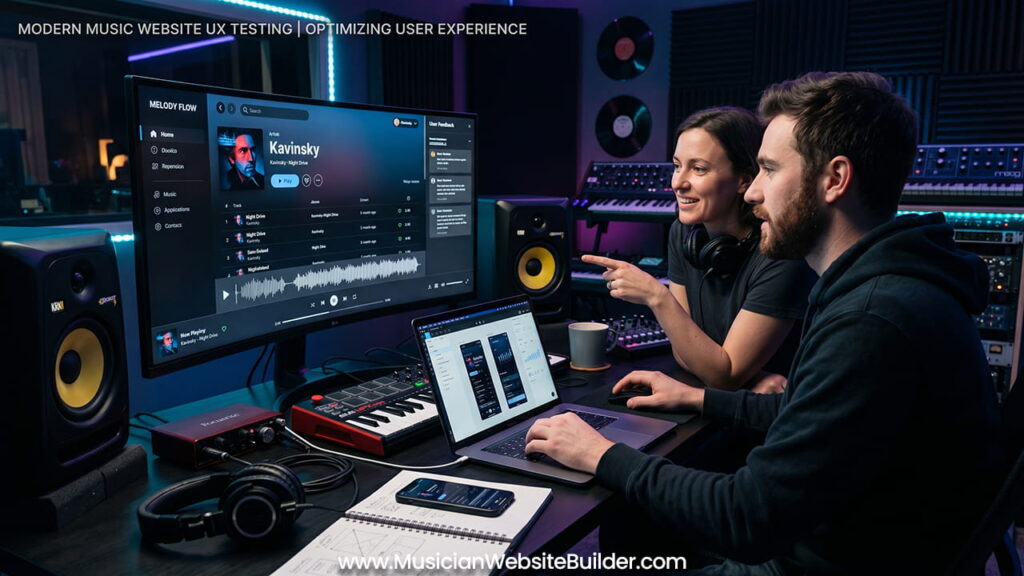
Why Music Websites Need More Careful Testing
Music websites are different from normal business websites or blogs. They handle heavy media, interactive audio tools, and constant user interaction. Because of this, they come with technical and usability challenges that many standard websites never deal with.
| Website Element | Standard Website Challenge | Music Website Challenge |
|---|---|---|
| Media Handling | Displaying images and text correctly | Audio streaming, waveform rendering, background playback |
| User Interaction | Basic clicking and scrolling | Playlist controls, audio settings, continuous playback |
| Performance | Compressing images for speed | Maintaining audio quality while keeping fast load times |
A normal website may only need to display text and images properly. A music platform has to handle audio playback, media loading, and smooth interaction at the same time. Automated testing tools can help, but they often miss the real experience users face during everyday use. Real people interacting with the website usually reveal issues much faster.
Main Benefits of Pre-Launch User Testing
Removing the “Creator Blind Spot”
Developers and designers spend months working on the same platform. After a while, they naturally become familiar with every menu, button, and workflow. What feels simple to them may feel confusing to a new visitor.
Fresh users look at the website differently. They do not know where features are located or how certain actions are supposed to work. Watching someone use the website for the first time often reveals navigation problems, unclear layouts, or unnecessary steps that internal teams no longer notice.
Improving Mobile and Audio Player Experience
A large amount of music listening now happens on mobile devices. But mobile browsers can behave differently, especially when handling audio playback. User testing helps uncover issues that may not appear during internal testing.
Common problems include:
- Audio stopping when the phone screen locks
- Waveforms not working correctly on smaller screens
- Volume sliders being difficult to control on touch devices
- Playback controls becoming unresponsive after switching tabs
These issues can seriously affect the listening experience if they are not discovered before launch.
Increasing Early Conversion Rates
Many music websites are built to sell products or services. This may include beats, merchandise, event tickets, subscriptions, or digital downloads. If the buying process feels confusing or broken, visitors may abandon the purchase completely.
Testing with real users helps identify weak points in the checkout process. Something as small as a confusing button label or a payment issue can reduce sales. Fixing these problems before launch protects both revenue and user trust.
A Practical Framework for Testing a Music Website
User testing does not require a huge budget or a large company. What matters most is having a clear structure and collecting useful feedback.
Step 1: Set Clear Testing Goals
Instead of simply asking users for opinions, give them direct tasks to complete. This helps measure how easily they can move through important parts of the website.
Example testing tasks:
- Find the newest album and play the third song
- Buy a digital download using the test payment system
- Subscribe to the newsletter through the contact page
These tasks reveal how users actually interact with the platform rather than how they say they interact with it.
Step 2: Choose the Right Test Users
Music websites usually need feedback from two different groups:
- Casual listeners
- Musicians or technical users
Casual users help evaluate navigation, design clarity, and overall enjoyment. More experienced music users often notice deeper issues, such as poor metadata organization, weak audio quality, or missing playback controls.
A testing group of around 5 to 10 users is usually enough to uncover most major usability issues.
Step 3: Use Different Testing Methods
Using multiple testing methods gives a more complete understanding of how the platform performs.
Moderated Testing
This involves observing users in real time through screen-sharing sessions. Watching where people hesitate, click repeatedly, or become frustrated often reveals hidden usability problems very quickly.
Unmoderated Testing
Platforms like UserTesting or UsabilityHub allow users to test the website independently and submit recorded feedback. This creates more natural interactions because users explore the site alone without guidance.
Survey Forms
After testing sessions, short questionnaires help collect structured feedback. These surveys can measure satisfaction levels and gather written comments about the overall experience.
Important Areas to Test Before Launch
Music platforms should pay extra attention to features connected to audio, performance, and accessibility.
Continuous Audio Playback
Users expect music to continue playing smoothly while moving between pages. Playback interruptions create frustration very quickly.
Website Speed
Large audio files can slow down page loading times. Even media-heavy websites should still load quickly, especially on mobile networks.
Clear Visual Hierarchy
Important buttons such as “Play,” “Buy,” “Download,” or “Subscribe” should stand out clearly. Users should never struggle to understand where the main actions are located.
Accessibility
Font sizes, contrast levels, and button spacing should work properly for all users. Accessibility improvements also make the overall experience cleaner and easier to use.
How to Handle User Feedback Properly
Once testing is complete, feedback should be organized carefully. Trying to fix every small comment immediately can slow down the launch unnecessarily.
A better approach is to group issues by importance.
1. Critical Problems
These are issues that break important parts of the website. Examples include:
- Audio players crashing
- Checkout systems failing
- Major mobile display errors
These problems should always be fixed before launch.
2. Usability Improvements
These are smaller issues where users completed tasks successfully but experienced confusion or delays along the way. Examples include unclear icons, weak navigation labels, or awkward layouts.
These updates can be handled before launch if time allows or included in future updates.
3. Personal Preferences
Some feedback is purely subjective. One user may prefer different colors, fonts, or layouts than another. These opinions can still be useful, but they should not completely change the brand direction unless many testers report the same concern.
Final Thoughts: Launch With More Confidence
User testing is not something that delays progress. It is a process that protects the website before it goes public. A music platform only gets one first impression. Taking time to test the experience with real users helps make sure the final launch feels smooth, professional, and enjoyable from the very beginning.
When visitors arrive, the goal is simple: the music should play smoothly, the website should feel easy to use, and the overall experience should feel natural without frustration.