A music website should feel as powerful as the music behind it. That is why many designers use parallax scrolling. This design style moves background images more slowly than the content in front. As a result, the page feels deeper and more alive.
When fans visit a band website, the first few seconds matter. A smooth-moving background behind a tour update or album release can create a strong emotional feeling right away. It helps the website feel modern, cinematic, and connected to the band’s identity.
Still, visual effects alone are not enough. A website that loads slowly or struggles on mobile devices can quickly push visitors away. Independent artists and bands depend on their websites for ticket sales, merchandise sales, music streams, and fan engagement. Because of that, design choices must support performance instead of hurting it.
Parallax scrolling can improve a band website when used carefully. However, poor implementation can damage usability, SEO, accessibility, and mobile performance. The key is balance.
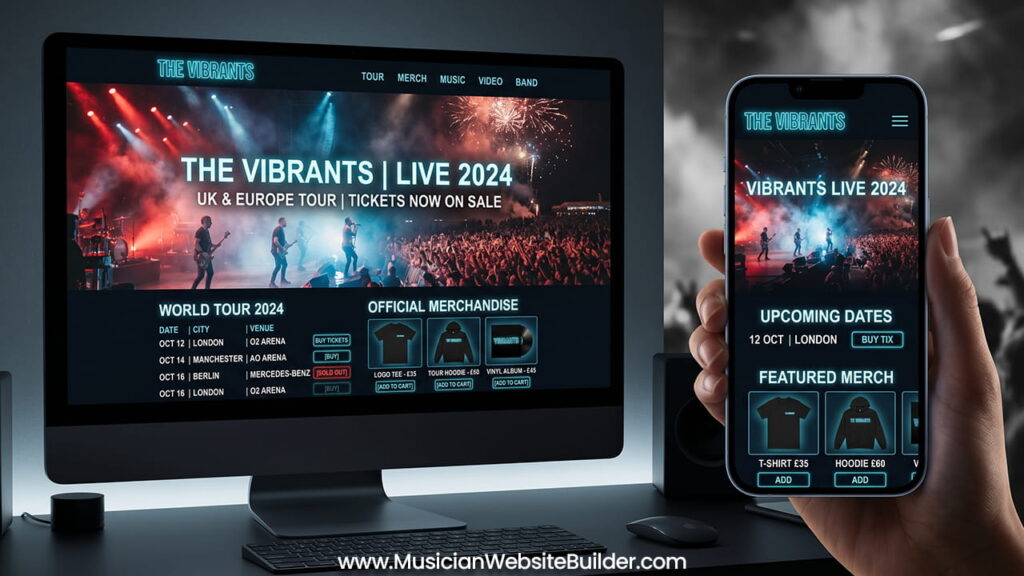
The Do’s: How to Use Parallax Scrolling Properly
1. Prioritize Hardware-Accelerated Properties
Jerky animations and laggy scrolling usually happen when the browser works too hard during scrolling. Many heavy effects force the CPU to constantly recalculate layouts and positions. This creates stuttering and slow movement.
The better solution is to use CSS properties that rely on GPU acceleration. Properties such as transform: translate3d() and will-change help move the visual workload to the graphics processor instead of the CPU.
This approach creates smoother animations and better scrolling performance. In many cases, the website can maintain a stable 60 FPS experience, even on average devices. Fans notice the difference immediately. Smooth movement feels polished and professional, while laggy movement feels broken and frustrating.
Performance should always come before visual complexity. A simple smooth effect works better than a detailed effect that struggles to run.
2. Use a Split-Path Design Strategy for Mobile
A design that looks amazing on a large desktop monitor may not work well on a small mobile screen. Phones process scrolling differently because they depend on touch gestures instead of mouse wheels.
Heavy parallax effects on mobile devices often create several problems. Pages may load slowly, animations may feel unstable, and battery usage may increase. In some cases, the scrolling experience becomes difficult to control.
A split-path design strategy solves this problem. Designers can use CSS media queries to deliver full parallax effects on desktops while reducing or removing those effects on smaller screens.
For mobile layouts, static high-quality images usually work better than animated backgrounds. This keeps the branding and visual style strong without damaging mobile responsiveness or loading speed.
Mobile users expect fast and smooth browsing. If a page becomes difficult to use, visitors often leave before exploring the content.
3. Keep Important Actions Easy to Reach
Fans usually visit a band website with a clear goal. Some want to buy concert tickets. Others want to stream music, read lyrics, or shop for merchandise. These actions should always stay easy to access.
A common mistake is hiding important features inside long animated sections. When visitors must scroll through large visual effects just to find the shop or ticket page, frustration increases.
The better approach is to keep navigation simple and visible at all times. Sticky navigation headers work especially well because they remain on screen while users scroll through the page.
This design keeps important buttons close to the user no matter where they are on the website. Fans can quickly move from visual content to ticket purchases or merchandise pages without confusion.
Strong website design should support user goals instead of slowing them down.
The Don’ts: Mistakes That Hurt the Fan Experience
1. Do Not Use Scroll Hijacking
Scroll hijacking happens when a website takes control of the user’s scrolling behavior. Instead of allowing natural movement, the site forces scrolling speeds, automatic snapping, or controlled transitions.
Many designers use this technique to create dramatic visual storytelling. However, most users find it annoying very quickly.
People expect full control over their browsers. If scrolling becomes slow, delayed, or unpredictable, frustration appears immediately. Fans may struggle to find venue information, tracklists, or tour dates because the page keeps interrupting their movement.
Parallax scrolling should support the user experience, not control it. The animation must follow the user naturally instead of forcing users to follow the animation.
Simple scrolling almost always creates a better experience than heavily controlled scrolling.
2. Do Not Replace Multi-Page SEO with One Massive Page
Many modern music websites try to place everything inside one long scrolling homepage. While this style creates a continuous visual experience, it can seriously damage SEO performance.
Search engines understand websites more clearly when content is separated into dedicated pages. Tour dates, lyrics, merchandise, albums, and biographies should each have their own optimized pages.
When all content exists on one URL, search engines struggle to understand the main focus of the page. This weakens keyword targeting and reduces visibility for important searches.
For example, ranking for searches such as “band lyrics” or “upcoming tour dates” becomes much harder when all information sits inside one giant homepage.
A better structure combines strong visuals with clean organization. The homepage can still use light parallax effects and immersive visuals. At the same time, separate pages should handle specific categories and search topics.
This structure supports both design quality and long-term SEO performance.
3. Do Not Ignore Accessibility Rules
Website motion can affect people differently. Fast-moving backgrounds and shifting visual layers may create discomfort for users with vestibular disorders or motion sensitivity.
Accessibility should never become an afterthought. Music is for everyone, and websites should stay comfortable for all users.
The safest solution is to use the prefers-reduced-motion media query. This setting checks whether users have requested reduced animation effects on their devices.
If reduced motion is enabled, the website should automatically disable parallax animations and display a stable version of the layout instead.
This small adjustment improves usability while respecting user comfort and accessibility standards.
Good design should never create physical discomfort.
Technical Optimization Checklist for Band Websites
Even strong visual design must support speed and usability. Before launching a website, every build should go through a technical optimization process.
Asset Compression
Large background images can slow down loading times significantly. Converting files into modern formats such as .webp or .avif reduces file sizes while keeping image quality high.
Smaller files improve loading speed and help lower Largest Contentful Paint (LCP) times.
Asynchronous Loading
Heavy scripts and off-screen images should load later instead of immediately. Deferring non-critical JavaScript helps users interact with the top section of the website while other elements continue loading in the background.
This creates a faster and smoother first impression.
DOM Tree Depth
Clean code structure matters. Too many nested containers and wrappers increase layout complexity and create rendering problems.
Keeping the DOM structure simple helps maintain responsive interactions and stable scrolling performance. It also improves Interaction to Next Paint (INP) scores.
Video Integration
Some band websites use video backgrounds behind text sections. While this can look impressive, embedding raw YouTube videos often adds heavy third-party scripts that hurt performance.
Compressed HTML5 video loops work better because they use fewer resources and avoid unnecessary browser strain.
Efficient video handling keeps animations smooth without slowing down the website.
Conclusion: Combining Visual Style with Strong Performance
Parallax scrolling can turn a normal band website into a memorable digital experience. When used correctly, it adds movement, atmosphere, and emotional depth that matches the energy of the music.
Still, visual design should never damage usability. Fans visit band websites to stream songs, buy tickets, explore merchandise, and follow upcoming events. Those actions must remain fast, simple, and accessible.
The best results come from balance. Hardware-accelerated animations, mobile-friendly layouts, clean SEO structure, and accessibility support all help create a better experience for every visitor.
A band website should support the music, not compete against it.