In the digital world of 2026, music is no longer just about sound. It is a full visual and interactive experience. From artist websites to music blogs and online portfolios, embedded music videos play a major role in keeping visitors interested and engaged. But if video integration is handled badly, it can slow down a website, hurt user experience, and damage search rankings.
This guide explains the best ways to embed music videos while keeping websites fast, user-friendly, and optimized for search engines.
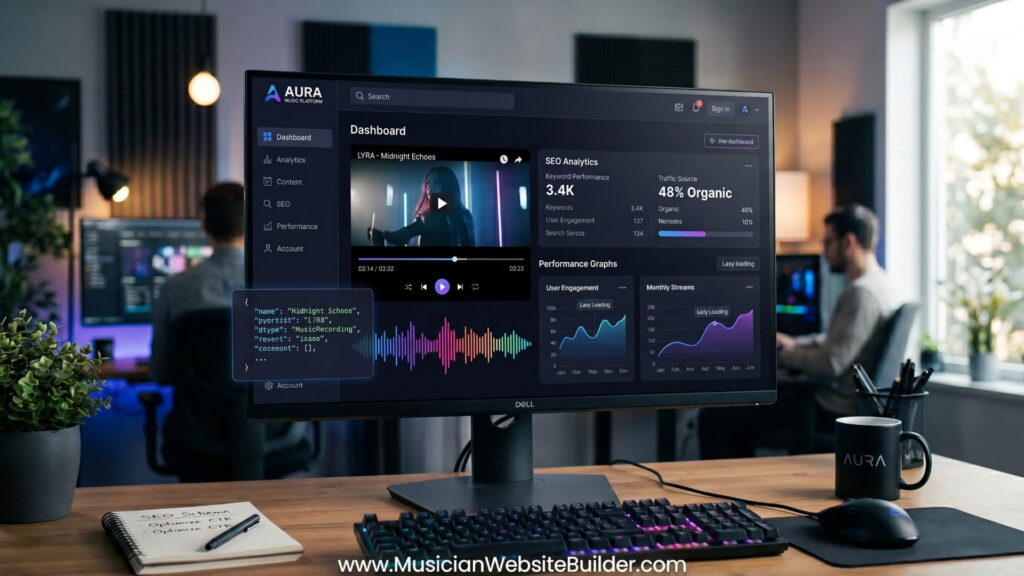
1. Focus on Performance with Lazy Loading
One of the most common mistakes in video embedding is loading the full video player as soon as the page opens. This forces the browser to load large amounts of JavaScript and media files before the visitor even reaches the video section.
The Better Method: Facade UI
A Facade UI uses a preview image instead of loading the live video player immediately.
How it works:
- A high-quality thumbnail image appears first.
- A play button overlay sits on top of the image.
- The actual video player loads only after the visitor clicks.
This method greatly improves website speed and helps protect Core Web Vitals. In many cases, PageSpeed Insights scores improve by 30 to 40 points after replacing heavy embeds with lazy-loaded video systems.
Implementation Tip
Many developers now use the loading="lazy" attribute on iFrames. While this helps, music websites often benefit more from a custom wrapper system that replaces a static div with a live iframe after user interaction. This approach gives better control over performance and reduces unnecessary loading during the first page visit.
2. Improve User Experience and Audio Controls
Music videos are different from regular videos because sound is the main feature. Modern browsers such as Chrome and Safari now follow strict autoplay and sound rules to improve user experience.
Avoid Unmuted Autoplay
Browsers block videos that try to play sound automatically when the page loads. If autoplay is required, the video usually needs to start muted.
Keep Controls Visible
Volume controls, pause buttons, and progress bars should always remain visible. Users expect full control over playback and audio settings while listening to music online.
Support Picture-in-Picture (PiP)
For long music sessions, interviews, podcasts, or live performances, Picture-in-Picture support is extremely useful. PiP allows the video to continue playing in a small floating window while visitors continue browsing the website.
This creates a smoother experience and increases watch time.
3. Build Responsive Video Layouts
A video that looks perfect on desktop but breaks on mobile can quickly increase bounce rates. Fixed-width video containers are no longer suitable for modern responsive websites.
Several responsive design methods are commonly used today.
| Technique | Pros | Cons |
|---|---|---|
| CSS Aspect-Ratio | Clean code and fully supported in modern browsers | Requires modern CSS knowledge |
| Padding-Bottom Hack | Works with older browsers | Harder to maintain |
| Fluid Containers | Scales well across different screen sizes | Can appear too tall on ultra-wide displays |
Recommended Method
The best solution for modern websites is using the CSS property:
aspect−ratio:16/9
This keeps the video proportional across desktops, tablets, and smartphones without needing complicated layout tricks.
4. Use Technical SEO for Better Visibility
Search engines cannot fully understand video content on their own. Extra metadata is needed to explain what the video contains.
Video Schema Markup
JSON-LD VideoObject Schema is now considered essential for video SEO.
This structured data helps search engines understand:
- Song title
- Artist name
- Video duration
- Thumbnail image URL
- Upload date
When video schema is properly implemented, embedded music videos have a stronger chance of appearing in Google Video results and rich snippets. This can increase organic traffic and improve visibility across search engines.
5. Make Video Embeds Accessible
Professional web design should work for every visitor, including users with visual or hearing limitations.
Add Lyrics or Transcripts
Providing lyrics or transcripts improves accessibility and also adds valuable text content for SEO. A collapsible lyrics section works well because it keeps the layout clean while still making the content available.
Use ARIA Labels
Video containers should include descriptive ARIA labels such as:
“Music video: [Song Title] by [Artist]”
This helps screen readers identify the content correctly.
Support Keyboard Navigation
The video player should work fully with keyboard controls. Users should be able to:
- Play and pause videos
- Adjust volume
- Navigate controls using Tab and Enter keys
This creates a more inclusive experience for all visitors.
6. Choose the Right Video Hosting Platform
The hosting platform affects branding, speed, user experience, and SEO performance.
YouTube
YouTube remains the most popular option for reach and search visibility. It is ideal for artists and brands focused on discovery and audience growth.
However, YouTube offers limited control over related videos shown after playback ends.
Vimeo
Vimeo is often preferred for professional portfolios and premium brand presentations. It provides cleaner visuals, fewer distractions, and stronger privacy settings.
Self-Hosting
Self-hosting music videos is usually not recommended unless a powerful CDN is available. Large video files consume heavy bandwidth and may lead to buffering issues, especially on slower internet connections.
For most music websites, external hosting platforms provide better reliability and lower maintenance costs.
Summary Checklist
- Use Facade UI or lazy loading for every embedded video.
- Keep muted autoplay enabled if autoplay is necessary.
- Apply responsive aspect-ratio styling for mobile compatibility.
- Add JSON-LD VideoObject Schema for SEO.
- Include lyrics or transcripts for accessibility and keyword support.
When music videos are embedded correctly, they do more than sit on a webpage. They improve engagement, support SEO performance, increase accessibility, and help create a faster and more professional website experience.